
SongPop® - Guess The Song
FreshPlanetTrivia
4.11.39K Reviews
- Version
- 003.037.001
- Installs
- 1.00M
- Age Rating
- Everyone
Screenshots
Our Review of SongPop® - Guess The Song
 Analysis by Appyee
For a shared evening at home, a music quiz can turn a quiet stretch into a lively little contest. I like the idea of passing a phone around, hearing a familiar song clip, and watching everyone argue over the artist before choosing an answer. SongPop® - Guess The Song is built around that kind of musical recognition, and its trivia format makes it easy to understand even if someone has never played it before.
It is a free music trivia game from FreshPlanet, with an average rating of 4.2 from around 24,000 ratings and more than a million installs. The Everyone age rating makes it a plausible pick for mixed-age households, though I would still treat the device and account as belonging to the person who set them up. The game includes optional in-app purchases, so it is worth agreeing on who may make purchases before handing a shared device to younger players.
A living-room game, with one phone as the host
The best household use is a casual round when people are already together: after dinner, during a rainy afternoon, or while waiting for another activity to start. One person can hold the device and let the group make guesses aloud. That keeps the focus on the song rather than on everyone needing a separate screen, and it gives younger players a chance to join in even if they are not familiar with every feature.
There is a useful distinction between playing as a group and treating the game as a personal account. If several people take turns using one login, scores and progress may no longer represent one person’s knowledge or preferences. For a family challenge, that can be part of the fun; for anyone who cares about a personal record, separate play habits are cleaner. I would decide which kind of session it is before starting, rather than trying to untangle mixed results later.
Set expectations before passing the device
Shared-device play works best when the person who owns the phone stays in charge of the account and settings. I would avoid asking children to create or connect an account on the spot, and I would make sure they know not to share personal details in any social interaction. The game’s social options may suit friends who already know one another, but they are not a reason to treat a public opponent as a trusted contact.
It also helps to agree on a simple turn-taking rule. With quick song snippets, confident players can dominate by calling answers first, while quieter family members may need a moment to recognize a voice or melody. Giving everyone a beat to think before the phone holder taps an answer makes the room more inclusive and reduces the chance that the game becomes a speed contest only the quickest person enjoys.
Coordination matters more than a perfect score
For a small group, I would make one person the host: they hold the device, read the choices if needed, and keep turns moving. A second person can track informal points on paper if the group wants a team-versus-team contest without mixing individual progress. This simple arrangement is especially useful when some players are new to the game and others already know how its rounds work.
There is a trade-off between playing together on one screen and challenging people through their own accounts. A shared session is more sociable, but it can blur who earned what. Individual play is better for friends who want to compete over time, yet it asks everyone to coordinate around their own access and availability. I would choose the mode based on the occasion, not assume one approach suits every household.
Age, spending, and trust at home
The Everyone rating is reassuring for a general audience, but it does not replace a parent’s judgment about online interaction or spending. Since the game offers in-app purchases ranging from $0.99 to $99.99 per item, I would check the device’s purchase protections before letting a child play without supervision. That is a practical boundary for any shared phone or tablet, not a reason to avoid the game altogether.
For younger players, I would keep the first sessions in the same room and explain that a music quiz can still include social features. Older children and adults may be comfortable challenging friends, while a parent may prefer to keep play limited to familiar people. If your household wants a completely offline, no-account group activity, a board game or a locally hosted quiz may be a better fit than an app with online competition.
Getting Started with SongPop®
The first thing I noticed about SongPop® - Guess The Song is how easy it is to jump in and get started. Once you download the app from the App Store or Google Play, setting up an account is a breeze. You can sign up with Facebook or create a new account using your email. I opted for the Facebook route, and boom, I was in!
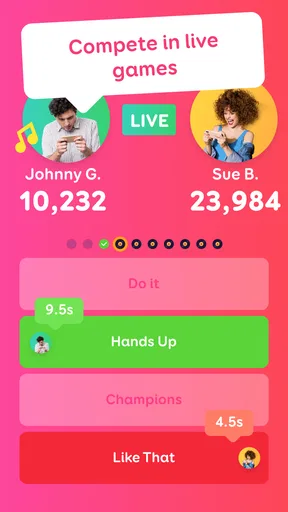
The app’s interface is user-friendly, with vibrant colors and a layout that screams fun. The main menu offers a variety of options, including playing solo, challenging friends, or joining live events. I was particularly drawn to the challenge mode, where you can face off against other players in real-time.
The Gameplay: Music to My Ears
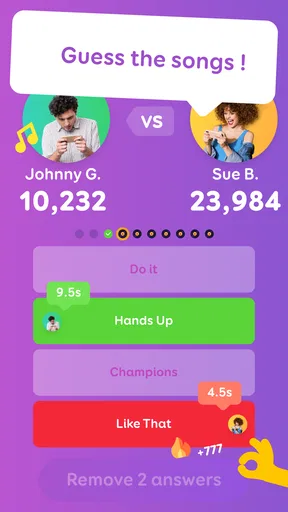
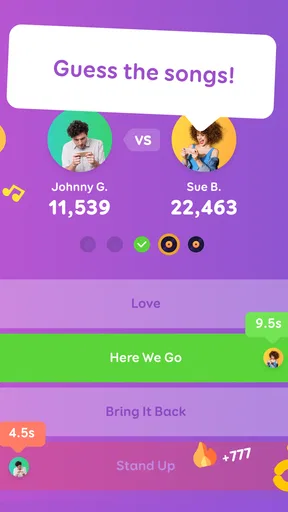
Once you start a game, you’re presented with short clips of songs, and your job is to guess the correct song title or artist as quickly as possible. The faster you guess, the more points you earn, and trust me, the competition can get fierce!
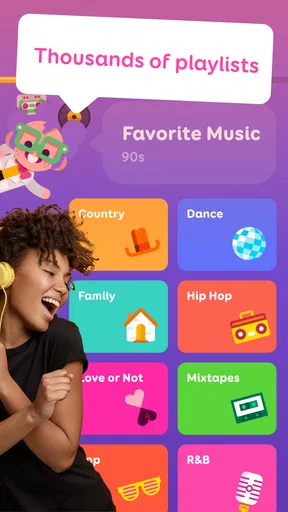
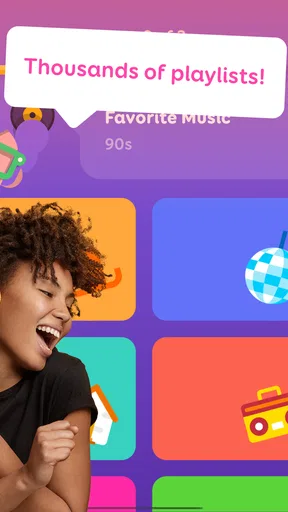
What I love about SongPop® is the massive library of songs. They’ve got everything from classic rock to modern pop, with new tracks added regularly. This variety keeps the game fresh and exciting, as you never know what you’ll hear next. Plus, there’s a playlist for everyone, whether you’re a fan of 80s hits or today’s top charts.
Challenging Friends and Climbing the Ranks
One of the coolest features is the ability to challenge friends or random players. It’s a blast to see who can identify songs the fastest, and it adds a social element that keeps you coming back for more. I found myself eagerly waiting for my turn to prove my musical prowess.
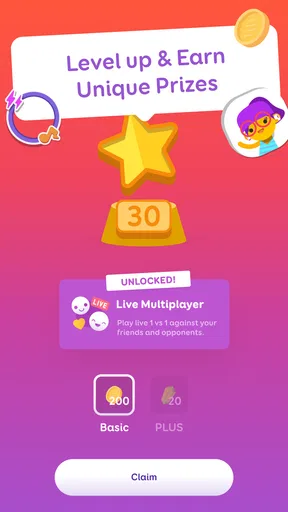
As you play, you earn XP and climb the leaderboard, which is a great motivator for competitive folks like me. It’s satisfying to see your name inch closer to the top, and it pushes you to keep improving.
Live Events and Playlists
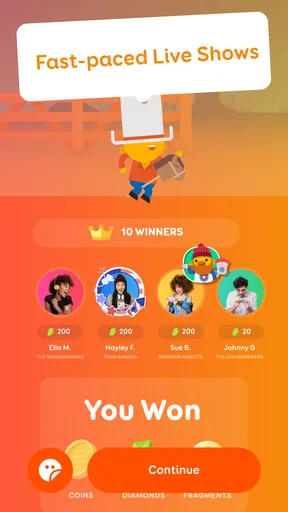
Another highlight is the live events feature, where you can participate in themed challenges. These events are time-limited and offer unique rewards, so they’re worth checking out. Whether it’s a holiday special or a decade-themed challenge, it’s a fun way to mix up your gaming routine.
The app also allows you to create and customize playlists, which is perfect for those who want to focus on specific genres or eras. I had a blast curating my own 90s mix, and it was a hit among my friends.
The Little Things That Make a Big Difference
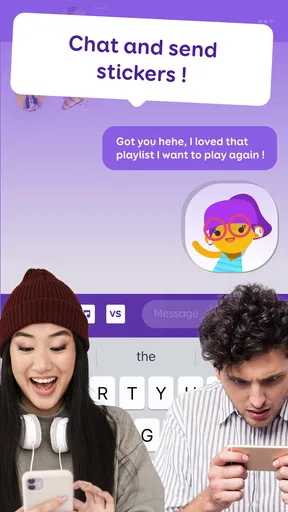
I appreciate the small touches that SongPop® incorporates. For instance, the ability to chat with opponents during a game makes the experience more interactive. You can exchange friendly banter or congratulate each other on great rounds.
Moreover, the app is regularly updated with new features and songs, ensuring that it never feels stale. The developers clearly put effort into maintaining a dynamic and engaging platform.
What to expect from the free version
The game is free to download, but optional purchases are part of the experience. I would treat those as extras rather than necessary steps to enjoy a round: try the basic play first, then decide whether anything offered is worth paying for. On a shared device, it is sensible to make that decision with the account holder, rather than letting a quick game turn into an unplanned purchase.
The listed version is 003.030.019, and the minimum operating system is Android 7.0. Those details matter if you are installing it on an older device that stays in the living room. Before planning a group game, I would check that the phone or tablet can run it and that it has enough battery; nothing derails a household contest faster than discovering the device needs attention halfway through.
How it compares with other music quizzes
Compared with a traditional trivia app built around written questions, this one makes recognition the main skill. You are reacting to short music clips rather than reading a prompt about a song, which feels more immediate and often sparks conversation when someone recognizes a tune but cannot name it. Compared with simply streaming a playlist and asking friends questions, the game supplies a more structured contest and a reason to replay rounds.
That focus is also its limitation. Someone who prefers broad general-knowledge questions, untimed puzzles, or a relaxed quiz without social competition may find a conventional trivia game more comfortable. A music app is not automatically a better choice for a group where tastes barely overlap; the fun depends on people enjoying the challenge of identifying tracks they may or may not know.
One small tactic I find useful is to make a team round about recognition rather than speed: let everyone quietly think first, then have the host select the answer after a short pause. It softens the advantage of the person who blurts out the first guess and gives people time to connect a melody with a title. For a solo session, I would instead focus on the categories and eras that challenge me, rather than repeatedly choosing only familiar material.
Who will enjoy it, and who may prefer something else
I would recommend it to music fans who like quick rounds, friendly rivalry, and the satisfaction of recognizing a track from only a brief listen. It is particularly suited to friends who already enjoy comparing music tastes, or households looking for a light activity that can be picked up without explaining complicated rules. The free entry makes it easy to try before deciding whether it belongs in your regular rotation.
I would skip it if you want a private, entirely offline experience, dislike timed answers, or do not want to manage an account and social play. It is also not ideal when the group expects every player to have an equal chance regardless of music familiarity: a person who knows more songs will naturally have an edge. In that situation, mixed teams or a different kind of quiz can make the evening fairer.
Wrapping It Up
In conclusion, if you’re into music and love a good challenge, SongPop® - Guess The Song is definitely worth a download. It’s a fun, engaging, and interactive way to test your music knowledge while connecting with friends. I’ve had countless hours of entertainment, and I’m sure you will too. So, what are you waiting for? Grab your headphones and let the guessing games begin!
My household verdict is that it works best as a short, shared burst of competition, with one person responsible for the device and clear expectations around turns, accounts, and purchases. The game’s age rating is Everyone, and FreshPlanet’s music-trivia approach gives a mixed group a familiar starting point, but the social and competitive side still calls for ordinary adult supervision with younger players. If your home enjoys song guessing and can agree on how to take turns, it is an easy option to try; if you want a fully offline group quiz or a calmer, untimed activity, I would choose something else.
Verdict
Strengths of SongPop® - Guess The Song
- Extensive music library.
- Challenging and fun gameplay.
- Multiplayer mode available.
- Regular updates with new songs.
- User-friendly interface.
Limitations of SongPop® - Guess The Song
- In-app purchases can be costly.
- Ads may interrupt gameplay.
- Requires internet connection.
- Limited offline features.
- Occasional lag on older devices.
Similar Picks in This Category
View All
Millionaire 2026 Quiz & Trivia
Quiz & Trivia Games by Submarine Apps4.5

Brain Test 2: Tricky Stories
Unico Studio4.7

Trivia Crack: Brain Quiz Games
etermax4.4

QuizzLand. Quiz & Trivia game
Quiz & Trivia Games by Mno Go Apps4.8

Brain Test: Tricky Puzzles
Unico Studio4.7

Logo Quiz
bubble quiz games4.5
Frequently Asked Questions
What is SongPop® - Guess The Song?
SongPop® - Guess The Song is a music trivia game where players guess the title or artist of a song snippet. It offers a wide range of music genres and allows players to challenge friends or compete against random opponents globally. The game is available on both Android and iOS platforms.
How does the multiplayer feature work in SongPop®?
In SongPop®, the multiplayer feature allows users to challenge friends or random opponents in a music guessing contest. Players take turns guessing song titles or artists from short clips, and the one with the quickest and most accurate responses wins the round. It’s a fun way to test your music knowledge against others.
Are there any in-app purchases in SongPop®?
Yes, SongPop® offers in-app purchases. These purchases include options to remove ads, unlock additional playlists, or gain premium features that enhance the gaming experience. While the game is free to download, these purchases can help players progress faster or enjoy a more seamless experience.
What genres of music are available in SongPop®?
SongPop® boasts a diverse selection of music genres, catering to all tastes. From pop, rock, and hip-hop to classical and indie, the game includes playlists from various eras and styles. This extensive range ensures that players with different musical preferences can enjoy the game.
Can SongPop® be played offline?
SongPop® primarily requires an internet connection to play, especially for multiplayer features and updates. However, some offline modes or limited song packs might be available for practice. For the best experience, including accessing the full library and competing with others, an internet connection is recommended.
Play our best games!


